Authority Studio Fortune AI
Authority Studio Fortune AI review: install DFY niche sites with articles, apps and AI publishing on WordPress.

Website visitors rarely wait around. If a question sits unanswered for an hour, many of them have already gone to a competitor. Staffing live chat around the clock is expensive, and basic scripted chatbots often frustrate people more than they help. This PeopleBots review looks at a tool aimed at the middle ground: an AI chatbot that you train on your own material.
PeopleBots is an AI chatbot SaaS from Teknikforce. You create chatbots (the sales page calls them agents or experts), feed them documents, webpages, YouTube videos and text, choose a persona, and add a small snippet of code to your website. Visitors can then type, or switch to voice mode, and talk to a bot that answers from what you taught it. The vendor says it uses RAG, short for retrieval-augmented generation, so answers are drawn from your content.
The category matters here. This is hosted software on a subscription, not a course and not a done-for-you service. You supply the knowledge, so answers are only as good as the material you provide. The vendor says it works out of the box without your own OpenAI API key, with AI usage paid for through a pay-as-you-go credit system.
The vendor positions it for four jobs: selling (answering pre-sales questions, handling objections, offering coupons), support (answering repeated questions from your knowledge base), coaching (acting as a virtual version of a teacher or coach), and lead capture (asking visitors for an email address). Human team members can take over any chat when needed.
The sales page lists one plan, Elite, in monthly and yearly versions. Both include:
Pricing is $6.99 per month or $67 per year. The sales page says there is no free trial, and offers a 30-day refund instead. Credits beyond the welcome allowance and any in-app upgrades are extra.
PeopleBots is made by Teknikforce, and the vendor behind it is Cyril Gupta. The sales page credits Teknikforce as the company behind the product and describes it as having over 100,000 users worldwide, multiple 5-star products on G2 and Capterra, and a 4.9-star rating from 183 Google reviews.
Those figures come from the vendor’s own page, and we have not independently verified them, so read them as claims rather than proof. What the vendor does commit to in writing is 24/6 live chat, a ticket response within 24 hours, live assistance by screen share when something will not work, and free upgrades while you are subscribed. The sales page also says PeopleBots is a SaaS product that updates automatically. Check the support options on the official page before you buy.
Here are the features that matter most and what each one means in practice. These are vendor descriptions, and we have not independently tested them.
You choose how the bot looks, speaks and behaves, from a friendly helper to a sales or coaching style. Benefit: the bot can match your brand voice.
Feed it PDFs, text, webpages and YouTube videos. Benefit: answers come from your own material, within the plan limits of 50 MB per chatbot and 150 documents.
Bots can answer pre-sales questions, deal with objections, promote offers and send the first message to start a chat. Benefit: visitors get an answer when they are ready to buy.
Train it on your knowledge base to handle common questions. Benefit: your team spends less time on repeated queries.
Visitors can switch to voice mode. Text chat is listed in hundreds of languages and voice chat in dozens, with text transcripts for review. Benefit: you can serve visitors who dislike typing or speak another language.
A person can take over any chat and hand it back to the AI. Benefit: complex conversations still reach a human.
The bot can ask visitors for an email address. Export leads as a CSV or connect a CRM. Benefit: anonymous visitors become contacts you can follow up with.
You can feed past chats back in and edit the answers. Benefit: the bot improves as you correct it.
Every chat is stored with a short summary on the chat list. Benefit: you can quickly spot orders, opportunities and unhappy customers.
Set theme colors and background images, or use CSS. Benefit: the widget looks like part of your site.
Create several bots for different sites or niches, or start from readymade ones. Benefit: faster setup. The plan lists up to 5 agents.
The vendor describes giving team members access to specific bots. The Elite plan lists individual access, so confirm whether team access is included. Benefit: shared monitoring, if available.
Add a pixel-style script to your site, with no coding. Benefit: the vendor says it takes under two minutes.
The vendor describes a straightforward process. Here it is in practical order.
Inside the dashboard you create a new chatbot, or begin with one of the readymade bots, such as a sales executive, support manager or coach, and adjust it. Under the Elite plan you can create up to 5.
Describe how the bot should behave. You choose its look, speaking style and role, whether that is seller, helper or expert. A clear description helps keep the tone consistent.
Upload PDFs and text documents, add webpages and YouTube links, or write a short document with the key facts. The vendor says the system converts this content into a format the AI can use, so it can answer related questions. Keep within the 50 MB per bot and 150 document limits, and focus on accurate, current material.
Match colors and images to your site, decide whether the bot opens a chat with a first message, and set it to ask for an email address. You can add coupons or offers to promote.
Copy the bot’s script and place it on your site, much like an analytics pixel. You can show it as a pop-up chat or give it a dedicated page.
Read chat records and summaries, correct weak answers and feed good chats back in. When a conversation needs a person, a team member can take over.
Spend the first week reading chats. Look for questions the bot could not answer, answers that sound off, and moments where visitors asked for a person. Add the missing facts to your documents, correct the answers, and watch whether the summaries on the chat list show more useful conversations over time. Keep your content current, especially prices, policies and product details, because the bot only knows what it has been given.
PeopleBots is aimed at people who want a chatbot trained on their own content without building one from scratch. These groups may find it useful.
If you cannot staff live chat all day, a bot can answer common questions and capture contact details.
Product pages and sales pages are natural places to answer objections and mention offers or coupons.
You can train a bot on your lessons and let it guide students when you are away. The vendor describes this as a virtual version of yourself.
Teams that answer the same questions repeatedly can feed in their knowledge base to reduce workload.
Businesses such as consultants, clinics or tradespeople can use a bot to answer opening-hours, pricing and booking questions and collect contact details after hours.
The vendor says you can place bots on client sites and sell them as a service, and the plan lists a commercial use license. The plan is also described as great for your own business, so read the license terms and confirm the limits before selling it.
With text chat in many languages and voice chat in dozens, PeopleBots may help sites that attract visitors from several countries, as long as your source material is accurate.
A few supported points make PeopleBots worth considering if you want an AI chat assistant on your website.
The vendor says it works out of the box and does not require your own OpenAI key, so you can start without setting up accounts elsewhere.
Documents, webpages, YouTube videos and text can all be used as training content, which keeps answers tied to your business.
Selling, support, coaching and lead capture sit in the same platform, with voice and multi-language options.
Team members can take over chats and hand them back, and chat summaries help you find the ones that matter.
A script on your site is all it takes, and it works with different website technologies.
You get 24/6 live chat, a 24-hour ticket response and a 30-day money-back guarantee through a support ticket, email or live chat.
You can choose a monthly or yearly plan, and usage is paid for through credits, so you are not paying for AI you do not use. The flip side is that heavy usage may cost more.
You decide the persona, the colors and the first message, so the chatbot can feel like part of your site rather than a generic add-on.
Remember that it is a subscription, credits beyond the welcome allowance cost extra, and there is no free trial. The plan caps agents, documents and daily chats. AI answers can be wrong, so monitor chats. With realistic expectations, it is a practical option for businesses that want a trainable website chatbot.
PeopleBots is sold as a subscription. The sales page lists a single plan, Elite, with two billing options. No separate paid upsells are shown.
A recurring monthly plan with a commercial use license, up to 5 agents, 50 MB of learning per chatbot, up to 150 documents, up to 200 leads or chats a day, individual access and 20,000 welcome credits. It also includes free upgrades and 24/6 chat support.
A recurring yearly plan with the same listed features. Over twelve months it costs less than paying monthly.
For more chatbots and more chats, the vendor says you can upgrade inside the app at a discount. The sales page does not list these prices.
The vendor describes a pay-as-you-go credit system for AI usage. The plan includes 20,000 welcome credits. How credits are used up and what extra credits cost is not stated, so confirm this before relying on heavy usage.
There is no free trial. There is a 30-day money-back guarantee, requested through a support ticket, email or live chat.
PeopleBots is an AI chatbot SaaS from Teknikforce. You train chatbots on your own documents, webpages, YouTube videos and text, then place them on your website to answer questions, support customers, promote offers and capture leads. It is a subscription tool you set up yourself.
No. The sales page says there is no free trial and that PeopleBots is a paid subscription with a 30-day refund guarantee. If it is not right for you, contact support within 30 days to request a refund.
Elite lists a commercial use license, up to 5 agents or experts, up to 50 MB of learning per chatbot, up to 150 documents, up to 200 leads or chats per day, individual access and 20,000 welcome credits. It also includes free upgrades and 24/6 chat support.
The sales page lists $6.99 per month or $67 per year. Credits beyond the welcome allowance and in-app upgrades are extra.
No. The vendor says it works out of the box and uses built-in AI, so you do not need an API key or an account with an AI provider. Usage is paid for through a pay-as-you-go credit system.
You can add PDFs, text documents, webpages and YouTube videos, or write a short document with the key facts. The plan lists up to 50 MB per chatbot and 150 documents. The quality of answers depends on the quality of what you provide.
Yes. Visitors can switch between chat and voice mode. The vendor lists text chat in hundreds of languages and voice chat in dozens, with transcripts available for review.
There is a 30-day money-back guarantee. You can request a refund through a support ticket, by email or through live chat. Support includes 24/6 live chat, a guaranteed ticket response within 24 hours and live assistance if something will not work.
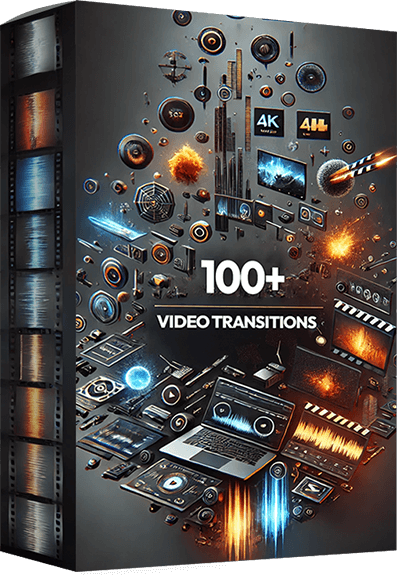
Enhance your video editing arsenal with a versatile collection designed to elevate your storytelling. This meticulously assembled pack features over 100 high-quality transitions, available in both 4K and 1080p resolutions, complete with impactful sound effects (SFX) to seamlessly integrate into your projects. From dynamic swipes and sophisticated particle effects to immersive sound-enhanced transitions, each element is crafted to provide a smooth and engaging narrative flow.

This meticulously curated library features a vast range of high-resolution images spanning diverse categories—from breathtaking landscapes and bustling city scenes to diverse lifestyle portraits and cutting-edge technology shots. Ideal for designers, marketers, and content creators, these images are perfect for enhancing websites, marketing materials, presentations, or any project needing a visual boost.

Elevate your video projects with our extensive collection, “4000+ Video Effects & Transitions.” This dynamic library is designed for filmmakers, video editors, and content creators who seek to transform their footage into cinematic masterpieces. It includes over 4000 high-quality effects and transitions, ranging from sleek wipes and colorful overlays to innovative particle effects and cinematic filters. Each effect is crafted to add depth, motion, and visual interest, helping you to craft engaging narratives and stunning visuals with ease.

Dive into a world of visual storytelling with our expansive collection, “5000+ Stock Video Footage.” This premium selection offers filmmakers, marketers, and content creators over 5000 high-quality video clips, encompassing a diverse range of scenes—from vibrant urban nightscapes and lush wildlife encounters to dynamic sports actions and tranquil beach sunsets. Each clip is crafted to inspire and enhance your projects, providing the perfect backdrop or focal point for your visual narratives.
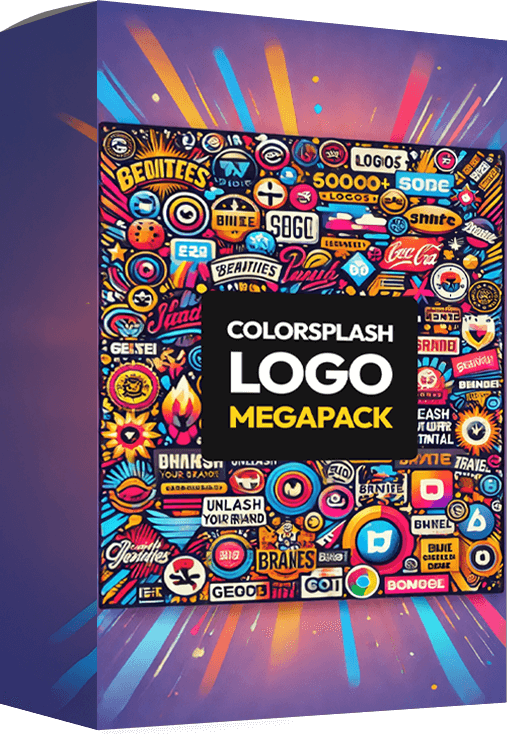
This extensive collection offers a spectrum of artistic, playful, and bold logo designs, perfect for businesses of all sizes seeking to inject personality and style into their branding. From startups to established companies, these logos provide the versatility and high impact needed to capture attention in any industry. Each logo in the MegaPack is crafted to be adaptable, ensuring you can find the perfect match for your business identity. Unleash your brand’s potential with a splash of color and a burst of creativity, only with the ColorSplash Logo MegaPack!

Unlock a universe of possibilities with Content Galaxy, your ultimate resource for all your content needs. This colossal collection features over nine million professionally written articles spanning a wide array of topics from business and technology to health and lifestyle. Whether you’re a blogger, marketer, or business owner, these PLR articles provide the flexibility to adapt, modify, and transform content to fit your specific needs.
– Purchase PeopleBots on this page.
- Your bonuses will be automatically delivered inside your JVZoo or WarriorPlus customer portal.
- If for any reason you experience any issues accessing your bonuses, we’ve got you covered! Simply visit our Claim Bonuses page, fill out the form, and we’ll assist you with accessing your bonuses.
We want to make sure you receive everything you’re entitled to, so don’t hesitate to reach out if you need any help!
PeopleBots is an AI chatbot SaaS that learns from your documents, webpages and videos, then answers visitors, supports customers, promotes offers and captures leads on your website. It suits small businesses, online sellers, coaches, support teams and agencies that want a trainable chatbot without building one themselves.
Keep in mind that it is a $6.99 monthly or $67 yearly subscription with no free trial, that credits and in-app upgrades cost extra, and that the Elite plan caps agents, documents and daily chats. The vendor’s reputation figures should be checked on the official page. The 30-day guarantee gives you time to test it with real content.
If this sounds like a fit, you can check the current PeopleBots offer here.
8/10!
Explore latest products of the day from WarriorPlus and JVZoo